TestFlight Beta Testers: Where to Find Them
Where to find TestFlight beta testers, the invite scripts that get accepted, and the follow-up sequence that turns silent installs into real feedback.
By Mark Fulton ·
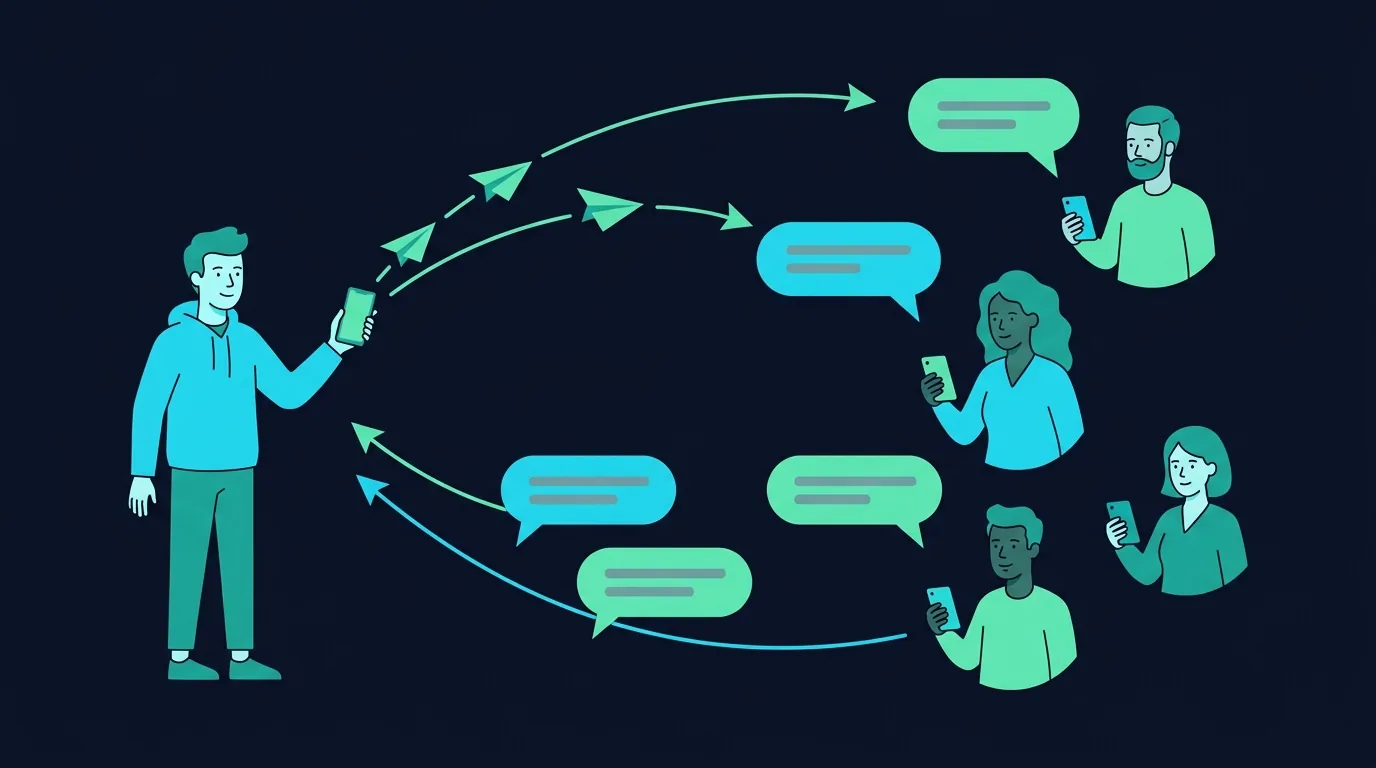
You find TestFlight beta testers by putting a public link in front of people who already have the problem your app solves, and by asking a small number of specific humans one at a time. The mechanics are the easy half: upload a build, create an external group, get the first build through Beta App Review, share the link. The hard half is that a link on its own converts strangers into silent installers. What converts them into testers is an invite that says what the app does in one line, how long the test takes, and what you want to know, followed by a welcome message on day one and a single nudge on day three. Plan on inviting several times the number of active testers you want, because most people who tap a public link never open the app twice.
App Store Connect's buttons are well documented and not the problem. This is about the part that decides whether the test produces anything: the people, the wording, and the follow-up.
What does external TestFlight testing require before you can invite anyone?
There is a gate between "I have a build" and "I can send a stranger a link", and it catches people who assumed TestFlight was instant.
Internal testing is the fast lane. You can designate members of your own App Store Connect team as internal testers and hand them builds immediately. That is useful for smoke-testing and useless for finding out whether your onboarding makes sense, because everyone in that group already knows what the app is for.
External testing is the one you want, and Apple's TestFlight documentation sets out what it needs. You create a group in App Store Connect, add the builds you want tested, and your first build has to be approved by App Review for TestFlight before external testers can install it. Builds are sent for review automatically once they are added to a group. You also have to supply beta app description text, beta app review information, and an email address so you can monitor and respond to tester feedback. None of that is hard, but all of it takes longer than you think the first time, so write it before the day you want testers.
Three limits are worth knowing up front, all from Apple's App Store Connect help:
- Up to 10,000 external testers. You will not run out. Do not design your recruiting around the ceiling.
- Up to 100 internal testers, drawn from App Store Connect users with access to your content.
- A build is testable for up to 90 days, then it becomes unavailable. This is the one that bites. If your test drags on, testers lose access mid-sentence.
Testers install the free TestFlight app and accept either an email invitation or a public link. They can test on up to 30 devices. Assume that most of the people you approach have never installed TestFlight before and that this counts as friction, because it does.
Do not skip the review wait in your planning. Write your recruiting messages, line up your first ten names, and get the build submitted, so that the day approval lands you have somewhere to send the link instead of starting the search then.
Where do iOS testers actually hang out?
There is no single pool of willing iOS testers, which is why "where do I find beta testers" gets answered so badly. There are four kinds of place, and they are good at different things.
People who already talked to you. Anyone who replied to a build-in-public post, commented on a screenshot, or said "tell me when it's ready" is the highest-quality tester you will get and the one most makers forget to count. Go back through six months of replies and DMs before you go anywhere public.
Communities where you have history. A Discord, a subreddit, a Slack, a forum you have been posting in for months. These people give domain-accurate feedback because they have the job your app is for. The rule is the same everywhere: if your first post in two years is a TestFlight link, the room reads it as an ad and is right to.
Other builders, by trade. Test-for-test swaps are the fastest source, and they are honest about craft. Builders will spot a confusing empty state instantly. They are a weak proxy for your actual user, so use them for interface and bugs, not for whether the problem matters. The full ranked version of this is in how to find beta testers with no audience.
Beta-swap sites and TestFlight link roundups. These exist and they will get you installs. Be clear-eyed about what kind. An install from someone who joined to get their own app installed is a number, not an opinion. Useful for shaking out crashes on devices you do not own. Close to worthless for product feedback.
One thing to avoid entirely: paid tester farms and bulk beta-swap services that promise a set number of testers. Beyond the fact that the feedback is empty, you are buying installs from people who have no interest in your app, which is exactly the pattern platform policies are written against. The Android version of that same trap is covered in Google Play 12 testers: how to find real ones.
What does an invite that gets accepted say?
Here is the script pack. Four messages, each short enough to send from your phone. Swap the bracketed parts and send them as they are.
An invite that works answers four things fast: what the app does, why you are asking this person, how long it takes, and what you want to know. Anything else is padding.
1. The public ask. For a post in a community, a build-in-public thread, or anywhere your public link goes.
I built [APP], a [ONE LINE: what it does, for whom]. It's on TestFlight now
and I'm looking for about [N] people to try it this week.

What I'd like to know: does [THE ONE THING YOU'RE UNSURE ABOUT] work the way
you'd expect? Takes about 10 minutes.

iOS [VERSION]+, link's here: [PUBLIC LINK]
Happy to return the favour on anything you're building.
2. The DM version. Shorter, and it has to say why you picked this person. If the message could have been sent to anyone, it converts like spam, because it is spam.
Hey [NAME], saw your [POST / COMMENT / PROJECT] about [SPECIFIC THING].

I made [APP] for exactly that. It's in TestFlight beta. Would you try it for
10 minutes this week and tell me where it annoys you?

[PUBLIC LINK]. No worries if not.
3. The welcome message. Send this the moment someone joins, by email or wherever they replied. This is the message that decides whether you get feedback, and most makers never send it.
Thanks for jumping on the beta.

Two things to try first:
1. [SPECIFIC TASK, e.g. "add your first project and rename it"]
2. [SECOND TASK]

If anything is confusing or broken, take a screenshot inside the app and send
it from TestFlight. That comes straight to me with the device details attached.

One question when you've had a go: [YOUR ONE REAL QUESTION].
The build expires [DATE], so no rush but not no rush.
4. The day-three nudge. One nudge. Not two.
Quick one on [APP]. Did you get a chance to open it?

If you did and it wasn't for you, that's genuinely useful, just tell me the
moment you lost interest.

If you didn't get to it, no problem at all, I'll stop asking.
That last one does more work than any of the others. Giving people permission to say "I didn't use it" produces the most honest answers you will get, and it is data. TestFlight even lets people who decline your invitation leave a note explaining why.
How do you get feedback instead of silent installs?
A tester who installs and never opens the app has taught you nothing. Worse, it looks like progress in your install count, so you feel busy while learning zero.
Four things move the ratio.
Ask one question, not a survey. "Any feedback?" gets nothing. "Was it obvious how to add a second project?" gets an answer, because it is answerable in one sentence.
Give a first task. People open a new app, look at the empty state, and close it. A two-step task in the welcome message gets them past the emptiest screen, which is where most of your real problems are.
Use the feedback channel that is already there. Testers can take a screenshot inside your app, mark it up, and send it through TestFlight, and crash reports arrive with the option for the tester to add a comment. Tell people this explicitly in the welcome message. Nobody discovers it on their own.
Read the difference between viewed and installed. App Store Connect shows how many people viewed your public link and how many installed from it. That gap tells you whether your invite copy is failing or your link placement is.
Which questions produce usable answers, and which feedback to politely ignore, is a longer subject and it has its own post: the beta tester checklist for solo devs.
How many testers should you invite to get ten active ones?
There is no published ratio for this and anyone quoting you one made it up. What is true is that the funnel has four stages and every stage loses people:
- Saw the link
- Tapped it
- Installed TestFlight and the build
- Opened the app more than once
Stage three is the brutal one for anyone who has never used TestFlight. Stage four is where your invite copy either did its job or did not.
So build your own ratio instead of borrowing one. Send the first batch, note how many of each stage you got, and you have a number that applies to your app, your audience and your wording. After one round you can plan the next honestly.
Two practical rules in the meantime. First, invite in small batches, not all at once, so you can fix an obvious onboarding problem before the next twenty people hit it. Second, weight personal asks heavily. A public link scales, but personally asked testers open the app at a rate a broadcast link never approaches, and they answer questions.
Ten active testers, meaning ten people who opened the app twice and told you something, is a genuinely good beta for a solo maker. It is also more work than getting a thousand link views.
What do you send when the build updates?
Shipping a fix and saying nothing is how a beta quietly dies. The update note is a second invitation, and it should read like one.
Keep it to three lines: what changed, what you want them to look at this time, and a thank you for the specific thing they reported. Naming the person's own bug in the release note is the single cheapest way to keep someone testing, because it proves their twenty minutes changed something.
New [APP] build is up.

Fixed: [THE THING THEY REPORTED]. Thanks for catching it.
New: [ONE THING TO TRY].

Same TestFlight app, it'll update itself. If the new bit is worse, tell me.
Watch the 90-day build clock while you do this. Each new build resets the window for that build, so an active beta with regular releases stays alive on its own. A beta that goes quiet for three months expires and every tester loses access, and getting those people back is much harder than keeping them.
When the test is over, keep the good testers. They become your first reviewers, your first users, and the people who tell other people. Tell them the launch date before you tell anyone else.
One last thing about where the public link goes. A link in a post scrolls away in a day. A link on a page that stays up keeps working, which is why it is worth putting your beta somewhere builders and early adopters browse on purpose. Submit your app to TryMy for free and the listing sits in the grid with your TestFlight link on it, reviewed by a human before it goes live. Free listings are free, and a listing is a surface rather than a traffic promise, but it costs you ten minutes and it does not expire in 90 days.
FAQ
How many external testers can TestFlight have? Up to 10,000 external testers per app, according to Apple's documentation, plus up to 100 internal testers from your App Store Connect team. Testers can install on up to 30 devices. The practical limit for a solo maker is nowhere near the ceiling. It is how many people you can personally follow up with.
Does a TestFlight build need App Review? For external testing, yes. Your first build has to be approved by App Review for TestFlight before external testers can install it, and builds are submitted for review automatically once you add them to a group. Internal testing with your own App Store Connect team does not wait on that. Plan for the gap rather than discovering it on the day you wanted to invite people.
Can I share a public TestFlight link anywhere? Apple designs public links for exactly this, including social media and email, and you can set criteria such as device type and OS version so people who cannot run the build do not enrol. Be deliberate about placement. Apple's own guidance is to think about where you share the link and to disable it when you no longer want new testers, for example once you have reached your limit. Sharing it into places that punish self-promotion will still get you removed, and that is a community rule, not an Apple one.
How do I get testers to actually write feedback? Ask one specific question rather than inviting general comments, give them a two-step first task so they get past the empty state, tell them explicitly that they can screenshot inside the app and send it through TestFlight, and send exactly one nudge on day three that gives them permission to say they lost interest. The nudge produces the most honest answers, and "I opened it once and forgot" is a finding.